
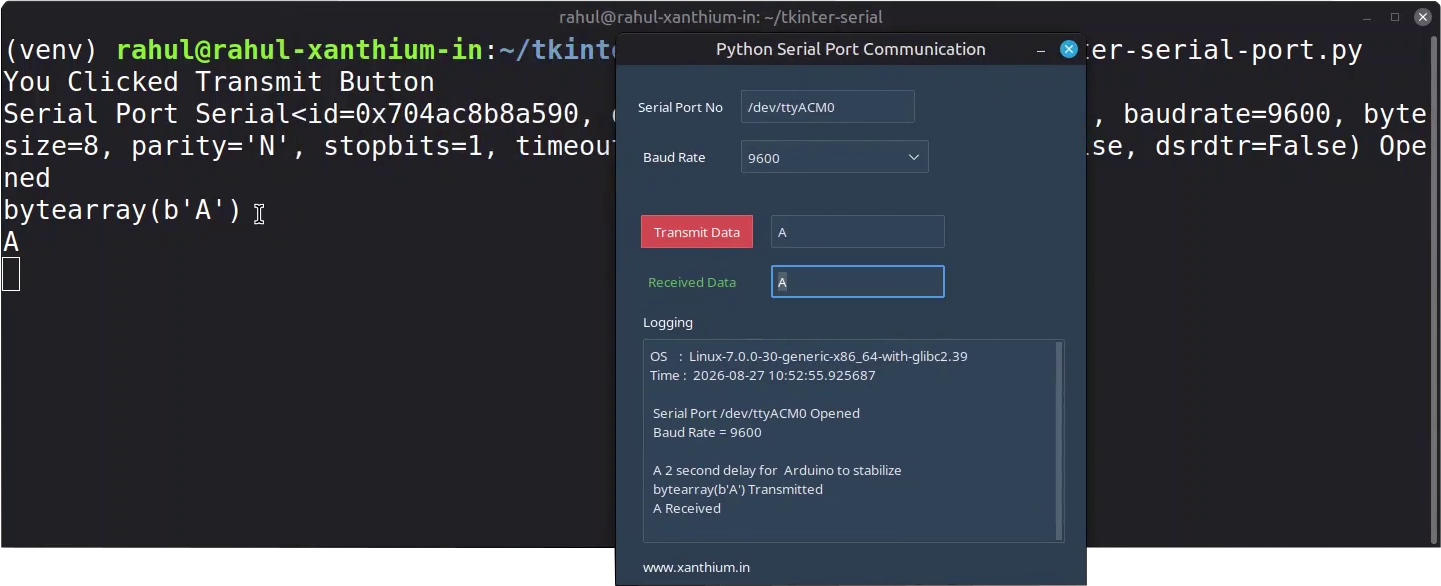
In this tutorial ,We will learn to build a Python Tkinter Serial Communication Program on a Linux system that communicates with an Arduino using Virtual Serial Port.
The Python Serial Communication Program will use PySerial Library for accessing the serial ports on the Linux system and uses Tkinter to build its GUI elements.
The full DIY Python Tkinter GUI Serial Monitor Program to Communicate with Arduino can be found here
Here we will be using the ttkbootstrap theming library to make the Tkinter GUI elements look modern and elegant.
The code is tested on a Debian based Linux system like Linux Mint or Ubuntu.

Source Codes

Python and Arduino example Source Codes for Tkinter Serial Programming on Linux can be Downloaded from our GitHub repo using Below Links.
Browse Tkinter Serial Port Programming GitHub Repo
Identifying Serial Ports on Linux
In Linux, serial ports are generally exposed as device files under /dev directory. The port names depends on what kind of serial device or the driver isused.
For example the traditional hardware based serial ports are named as /dev/ttyS* where start is an integer like /dev/ttyS0 or /dev/ttyS3.These type of ports are hard to find in consumer laptops and can be considered obsolete.
Most of the time we will be dealing with USB to Serial Converter based devices (FT232RL ,CP2102 etc) those are usually numbered like /dev/ttyUSB* .for example /dev/ttyUSB0 or /dev/ttyUSB1.
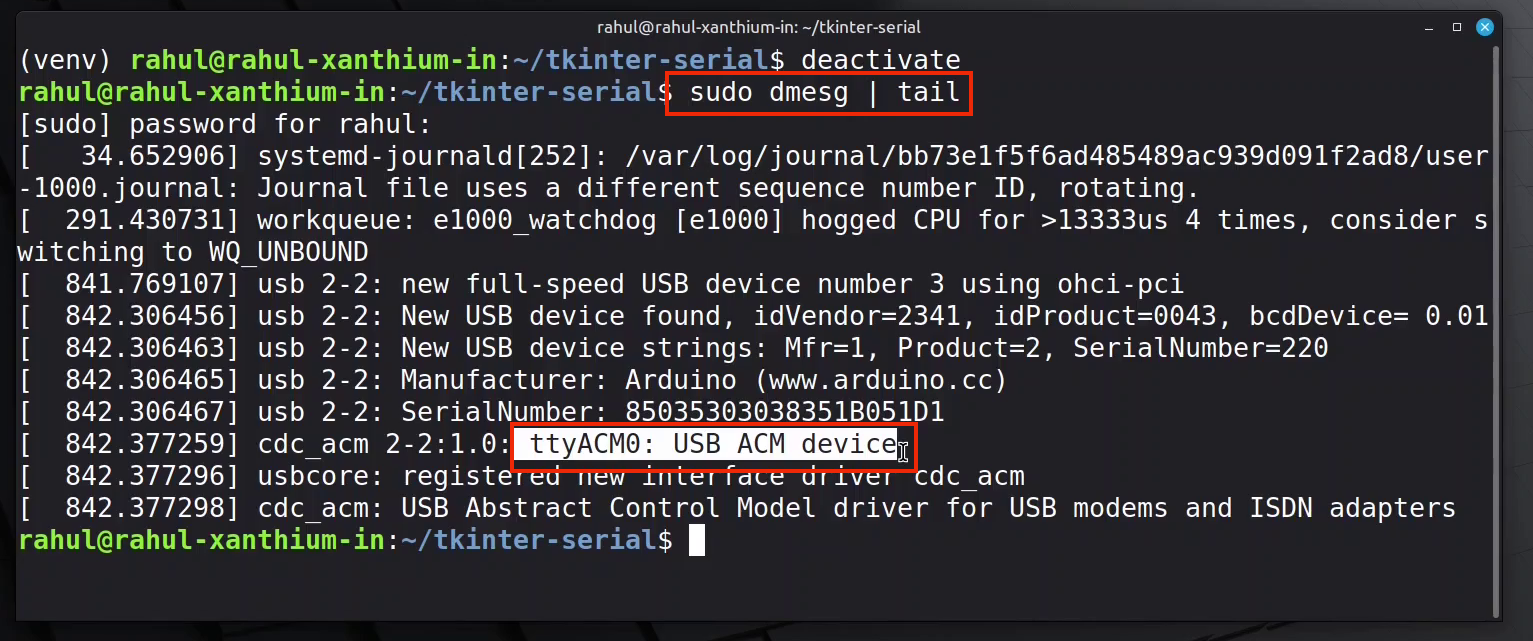
Here we are going to use an Arduino to communicate with a Linux PC ,USB IC of most Arduino boards will be implementing the USB CDC ACM interface which will appear as /dev/ttyACM0 or /dev/ttyACM1
You can connect your board to the Linux PC and issue the following command
$sudo dmesg | tail and find out the name of your Serial port from its output as shown below.
Changing Group Policy Permissions
When you try to open a serial port on Linux, you may get a “Permission denied” error because your user account does not have permission to access the serial port device.
On many Linux distributions, serial devices such as /dev/ttyUSB0 and /dev/ttyACM0 are owned by the dialout group. Adding your user account to the dialout group gives you permission to access these serial ports. .
To rectify this you need to add your user to dialout group
sudo usermod -a -G dialout $USERRemember to reboot the system and login again for the changes to take effect
Installing Tkinter on Linux
On Debian based Linux systems like Linux Mint or Ubuntu ,Default Python installation do not come with tkinter GUI library .
Please note that tkinter is installed by default on Python interpreter on Windows 11 platform.
We have to install the tkinter library separately as an apt package first, to use it in our code.
You can do that by
sudo apt-get update
sudo apt-get install python3-tk
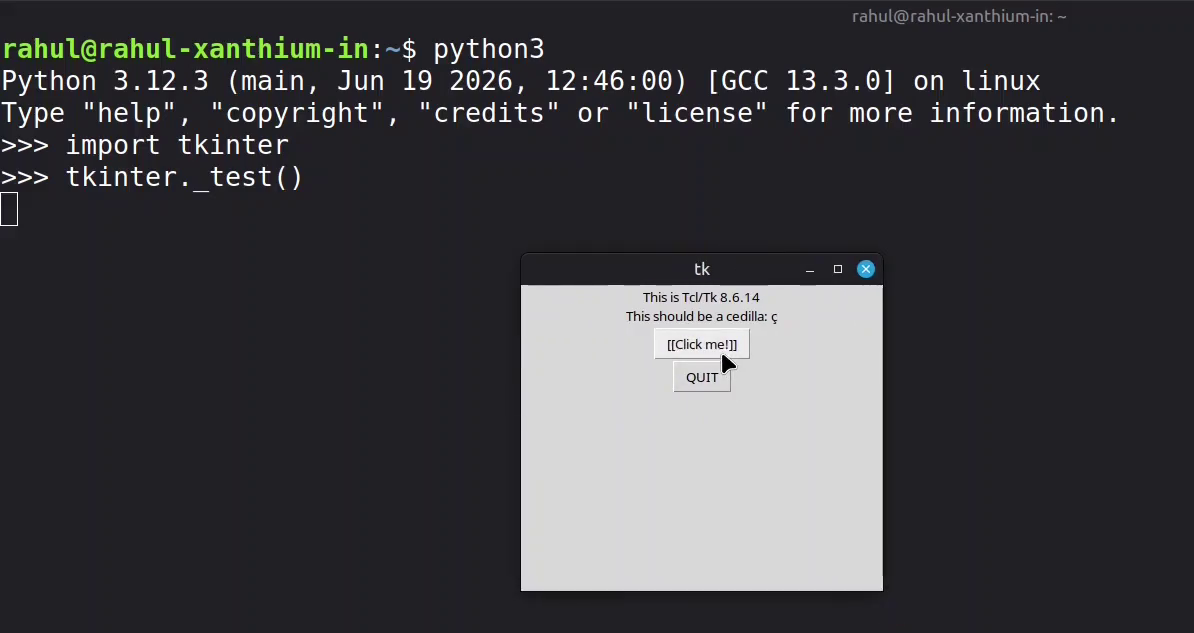
Once the tkinter library is installed, you can check it by typing tkinter._test()
Which will create a simple tkinter Window as shown below.
Installing ttkbootstrap theme and pyserial on Linux
Unlike Tkinter ,Linux wont let you install ttkbootstrap theme and pyserial system wide, We will have to create a virtual environment and install them locally.
If you are not familiar with Creating Python venv environments on Linux Check this tutorial.
Once you have created the python venv virtual environment you can install them locally using pip.
Now before installing ttkbootstrap, you need to activate the virtual environment using activation scripts.
you can use the source command
source venv/bin/activatethen you can install the libraries using
pip install ttkbootstrap
pip install pyserial 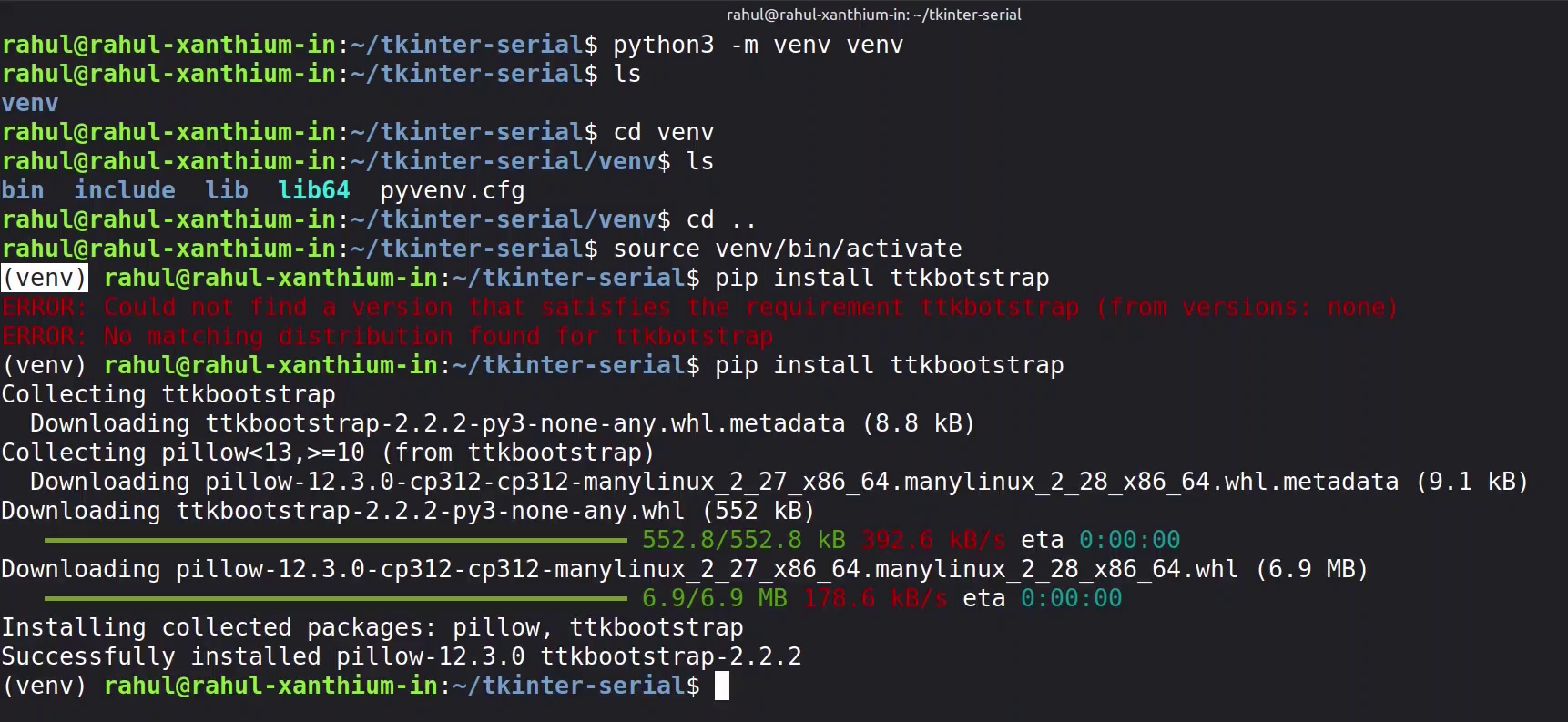
Reading and Writing to Serial Port
Now after every thing is installed we can run our tkinter serial communication program and communicate with the Arduino over serial port .Here the Tkinter GUI will call the Pyserial Library to open the Serial port and read write to it.
More detailed explanation of how the Tkinter GUI opens the Serial Port can be found here
References
Python Serial Port Programming using Pyserial for Beginners
- Log in to post comments