
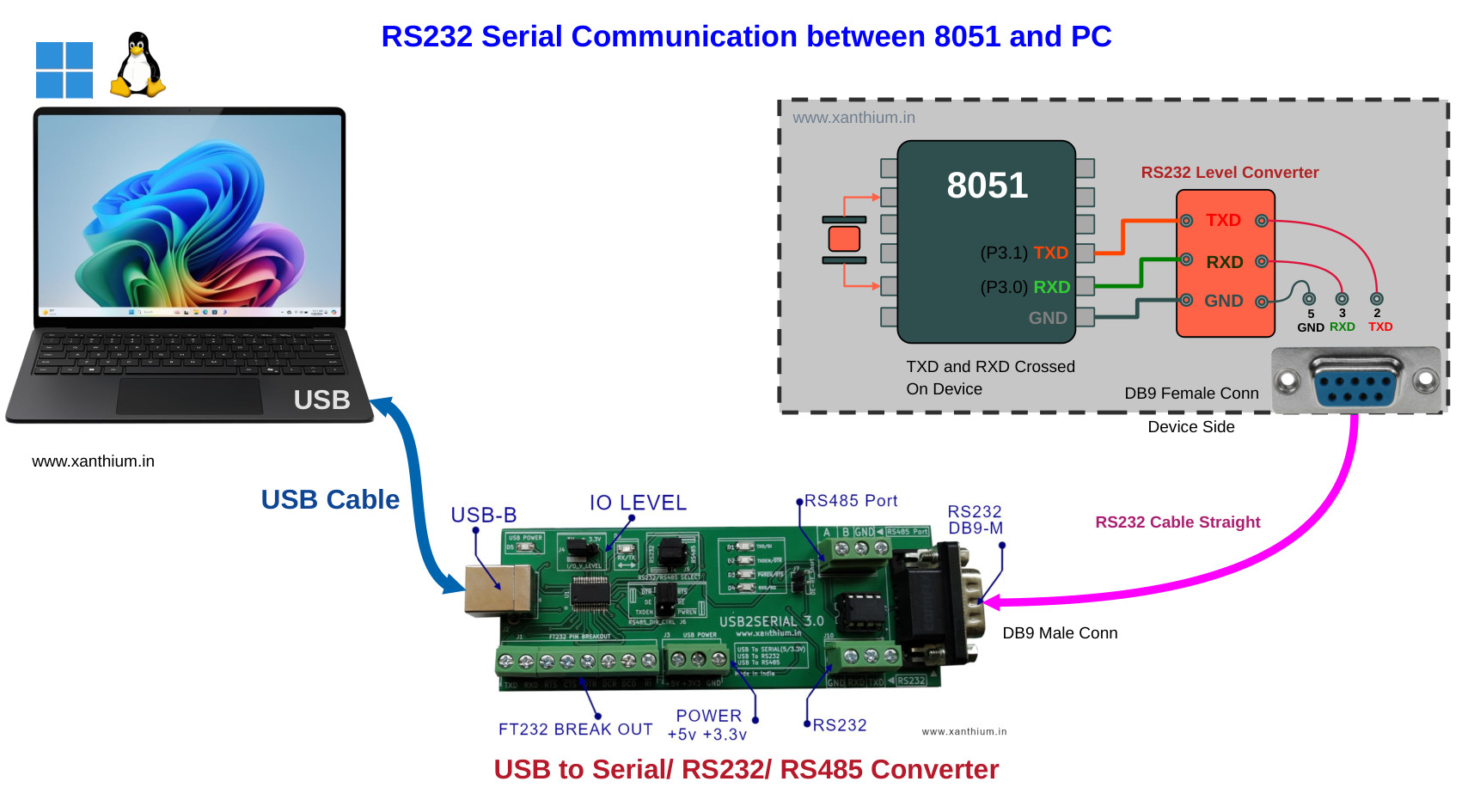
In this tutorial, We will learn How to connect an 8051/8052 microcontroller to a Windows 11 or Linux Computer using RS232 Protocol. We will interface a 8051 variant to PC using a RS232 level shifter chip like MAX232 and a USB to Serial Converter as shown in the above figure.
Here we will be using a 3 wire RS232 connection (RX,TX and Ground) to connect our 8051 microcontroller with PC .
We will be using the 8051/8052 variant W78E052DDG from Nuvoton for our Experiments, The codes, circuits etc will work with most other variants of the 8051 or 8052 like AT89S51 or AT89S52.
We have an 8051 development board with ADC,7Segment Display, High Current Drivers here for you to try it out .
Before we start ,You should be familiar with How to perform 8051 UART serial communication with PC
Circuit Diagrams and Kicad Design Files
What is RS232 Protocol Communication? Why is it used ?
RS232 stands for Recommended Standard 232 is a standard introduced in 1960 for serial communication transmission of data which is still in use in 2026 . It formally defines signals connecting between a DTE (data terminal equipment) such as a computer terminal or PC, and a DCE (data circuit-terminating equipment or data communication equipment), such as a embedded system like GSM modem, Data acquisition System, CNC controller etc.
The RS232 standard defines the electrical characteristics and timing of signals, the meaning of signals, and the physical size and pinout of connectors it doesnt define the data protocol, error detection system etc.
The RS-232 standard is commonly used with serial ports and serial cables. Older PC's tend to come with DB9 Serial port connectors on their backs which can be used to connect Mouse modems etc with your PC. Here is an example of one

The classic DB9 Serial Port is no longer found in any consumer facing PC's as most of the functionality provided by the serial port is replaced by USB.
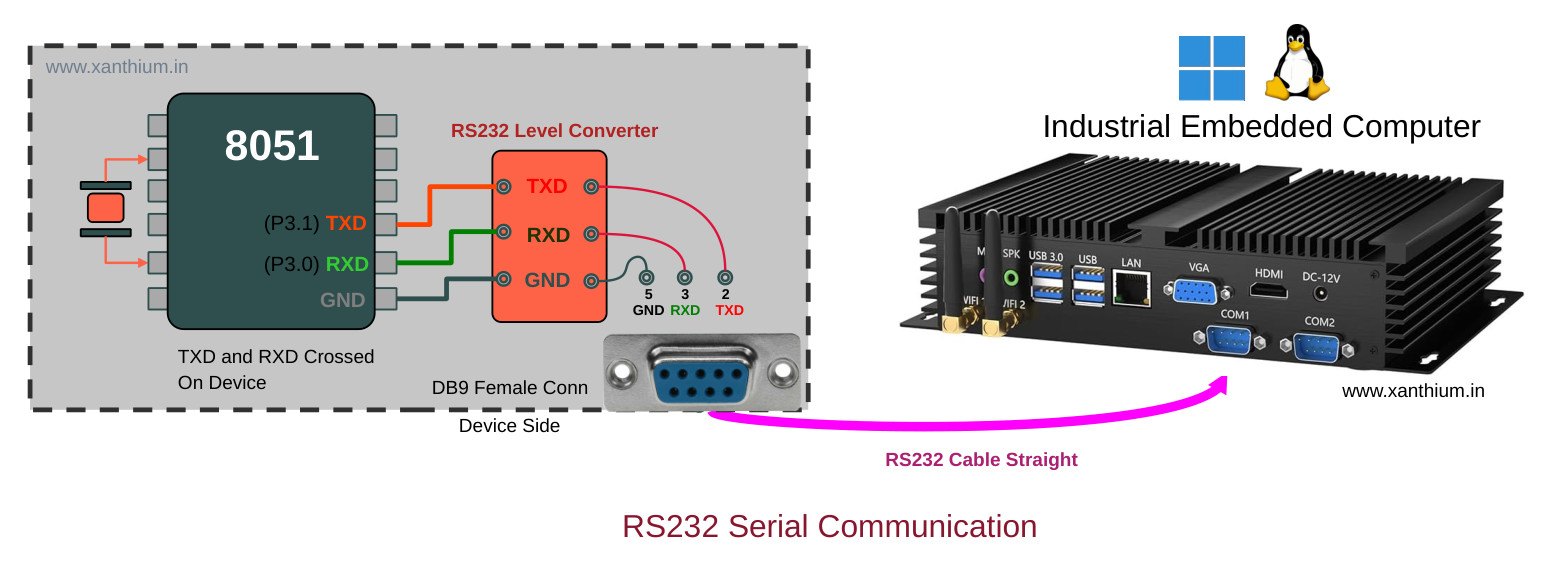
But the RS232 is far from dead as it is widely used in Industrial PC's used for running Machines in Factory floors. Most of them comes with Multiple serial ports on their back planes as shown in the below image.

RS232 Pinout and Connectors
The old RS232 standard defines both a 25 Pin connector and a simplified 9 pin connector. In most cases ,the DB9 9Pin connector is used .You can find the pinout of the DB9 connector below.

The arrival of cheap USB to UART chips like FTD FT232RL,TUSB3410,CP2102,CH340 have made it quite easy to upgrade the existing software that used to talk over serial to USB protocol. These chips provide a virtual serial port that behaves like a real one but transmits the data through USB.
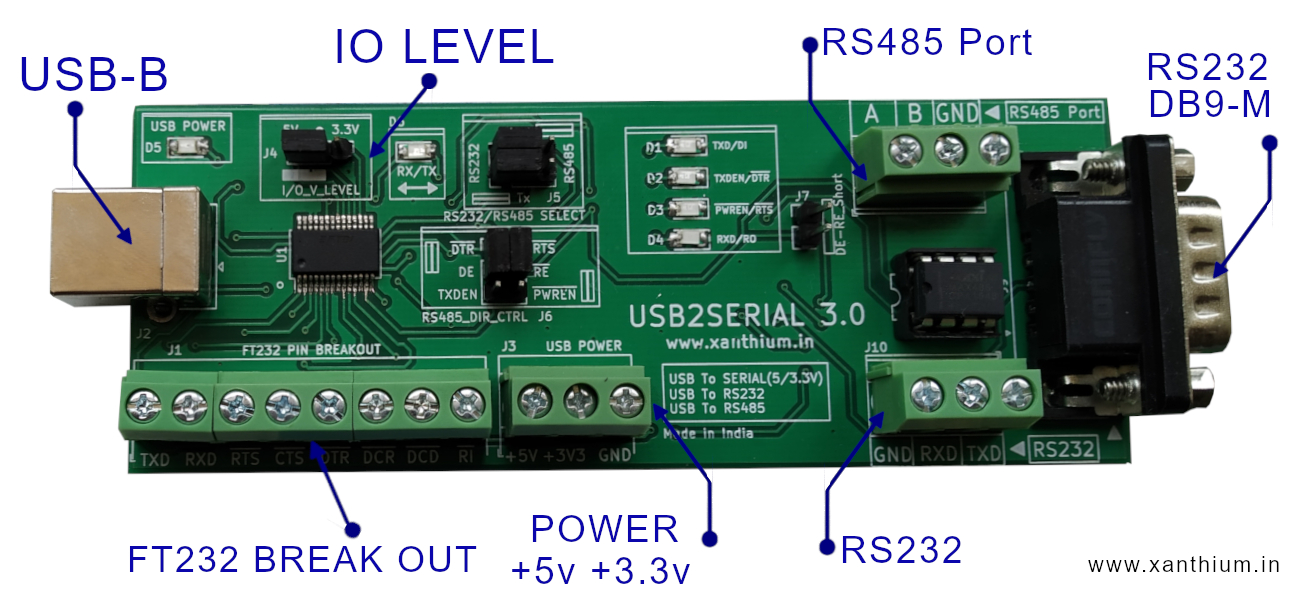
If your PC does not have any hardware serial ports (RS232 DB9 ports), you can use USB to Serial Converter's like USB2SERIAL.(non Isolated).shown below
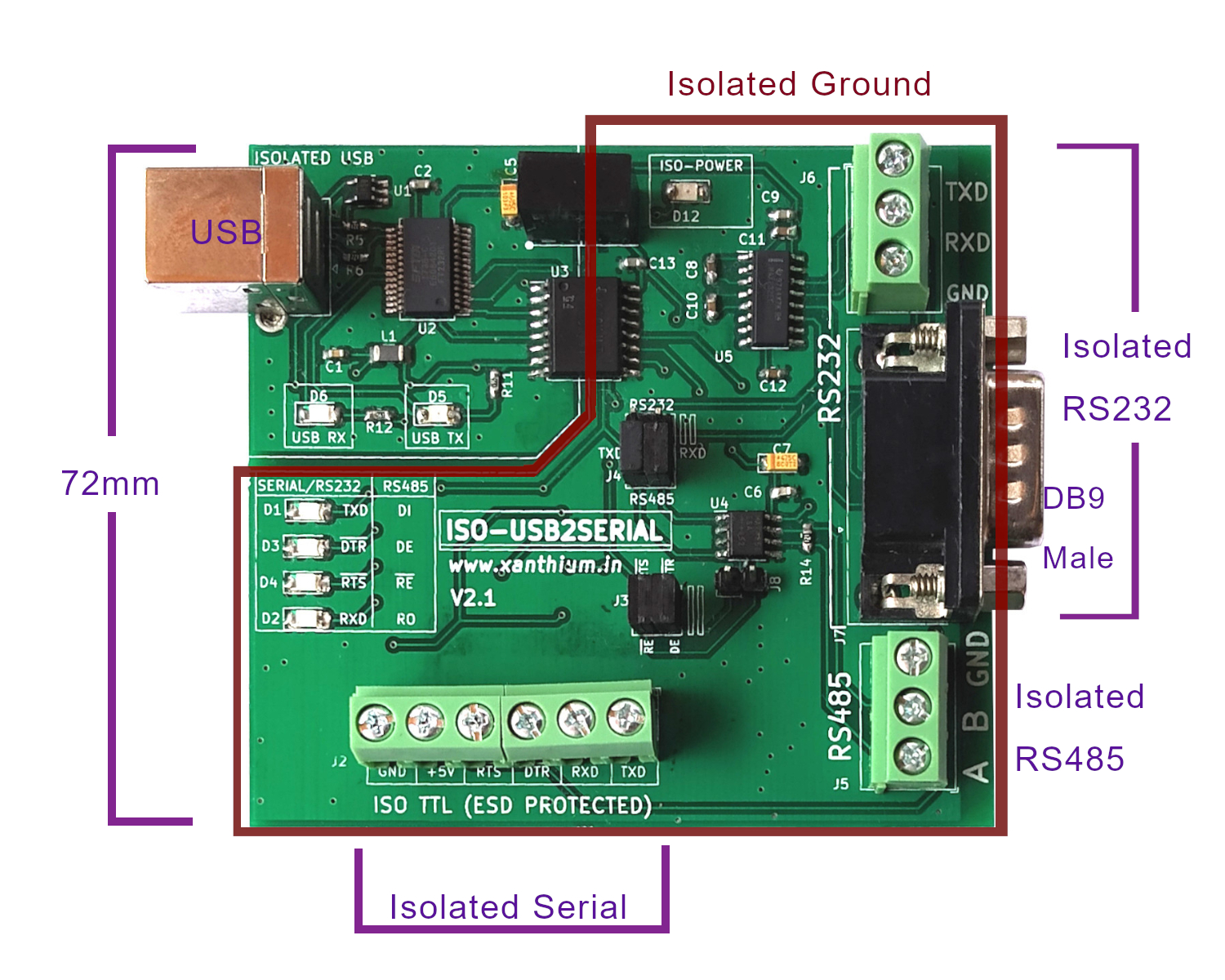
If you are operating in Industrial settings and want to communicate with machinery you can use our fully isolated USB to Serial/RS232/Rs485 Converter that have built in voltage suppression to protect your PC with random voltage spikes caused by electrical machinery
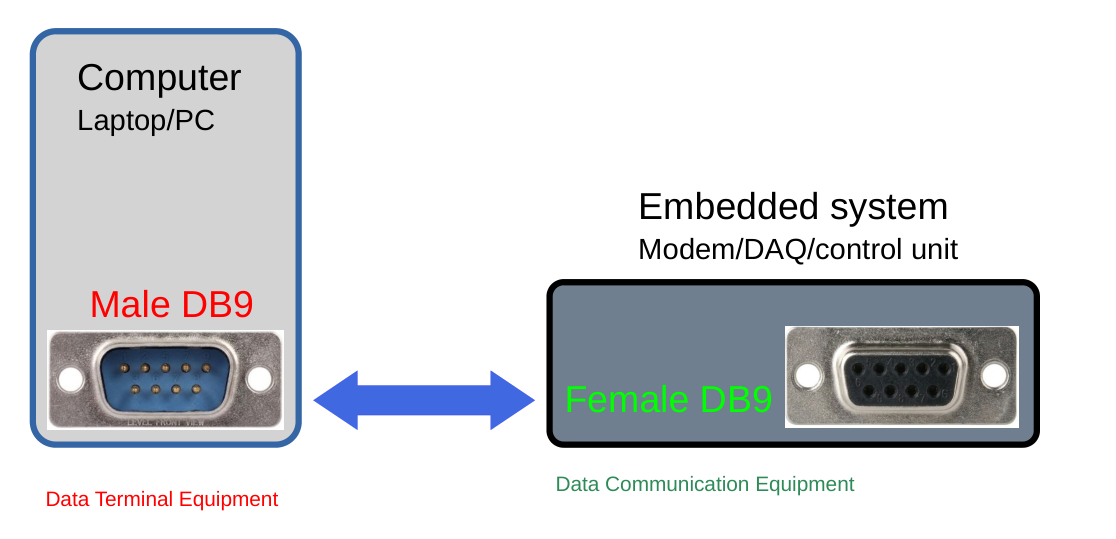
Another thing to note is that we should use a Male DB9 connector on the PC side and a Female DB9 connector on the Device side as shown below.
RS232 Signal Levels and Polarity
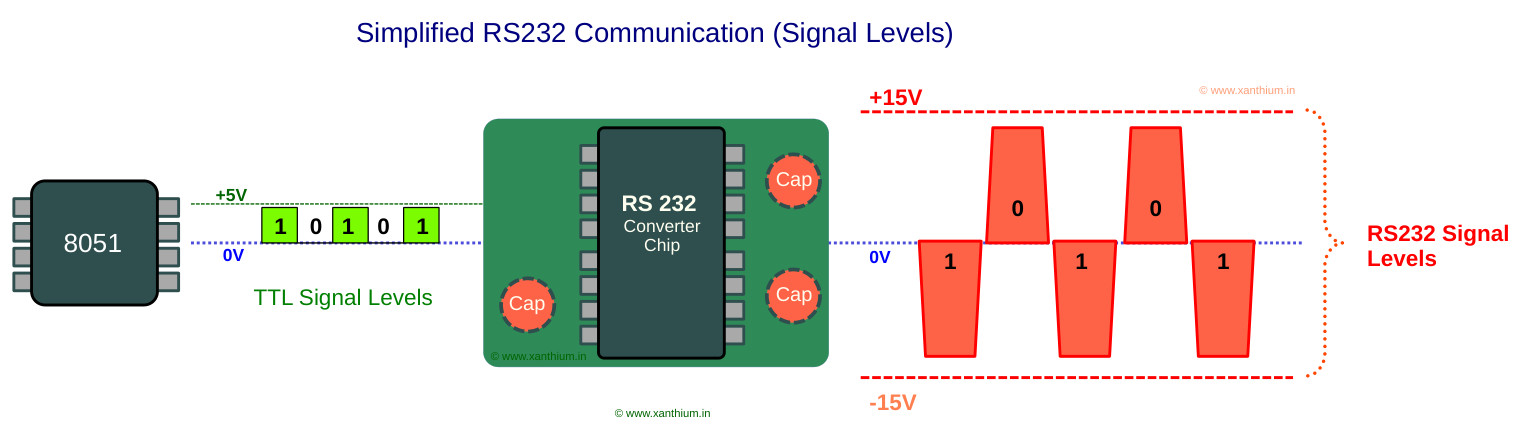
RS232 lines operate at voltages significantly higher than the TTL output provided by the 8051 Microcontroller. The TTL signal coming from the 8051 UART are between 0 and 5V while the RS232 voltagelevels operate between -15V to +15V as shown in the below figure.
To connect the 8051 to an RS232 line you have to use a RS232 Voltage converter IC like MAX232 which will boost up the voltage to RS232 levels and invert the polarity of the signal.
The Higher voltage swing between +15V and -15V helps to improve noise immunity in factory floors.
RS232 also inverts the logic levels
for example in TTL logic 1 is represented by a +5V and Logic 0 by 0V,
In RS232 the logic 1 is represented by -15V (-3V to -15V) and Logic 0 by +15V (+3V to +15V).
Interfacing 8051 to PC using RS232 Protocol
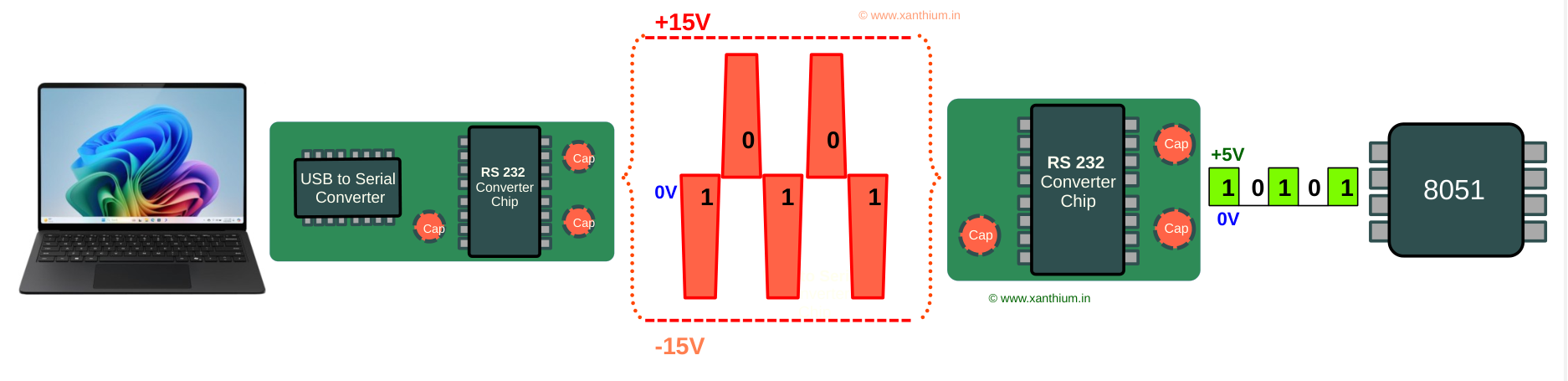
Here we are going to interface a PC /Laptop with a 8051 microcontroller (AT89S51,AT89S52) board using RS232 Serial Protocol. The basic block diagram for 8051 RS232 Serial Port interfacing is shown above.
Most modern PC's or Laptop don't have any hardware serial port ,so we have to use a USB to Serial Converter to convert the TTL level serials coming from PC to RS232 compatible signals. If you are using an industrial PC with build in RS232 port ,there is no need to use a USB to Serial Converter.
These are send to a three wire cable to the 8051 Microcontroller where a RS232 converter chip converts the serial signals back to TTL levels and is received by the Microcontroller.
Building a RS232 Level Converter for 8051
You can use a commonly available RS232 level shifter chips to change the UART signals to RS232 Protocol levels.
Here we are using MAX232 converter chip from TI to do it. You can Download the datasheet of MAX232 from here
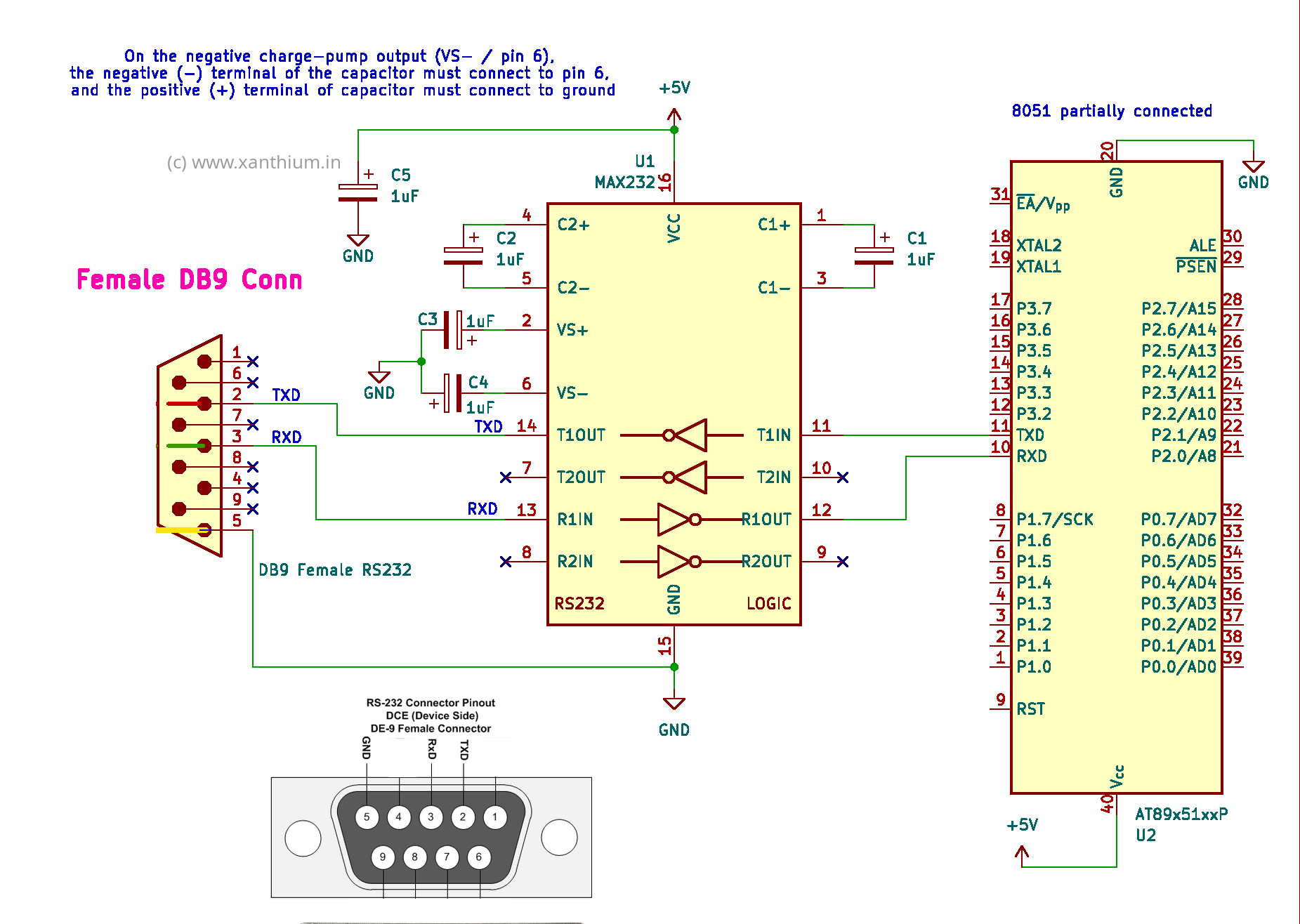
The Circuit diagram for building the RS232 converter is shown below.
A few thing to note during assembling the RS232 level shifter
On the negative charge-pump output (VS- / pin 6), the negative (-) terminal of the polarized capacitor must connect to pin 6, and the positive (+) terminal of capacitor must connect to ground otherwise the Max232 will overheat and get damaged.
Since we are designing a device ,you should use a Female DB9 RS232 socket in which,
- TXD of your 8051 Microcontroller is connected to Pin 2 of DB9 Connector
- RXD of your 8051 Microcontroller is connected to Pin 3 of DB9 Connector
On the PC side ,We use a Male DB9 RS232 socket in which the connections are reversed.
- TXD of PC/USB to Serial Converter connected to Pin 3 of DB9 Connector
- RXD of your PC/USB to Serial Converter is connected to Pin 2 of DB9 Connector
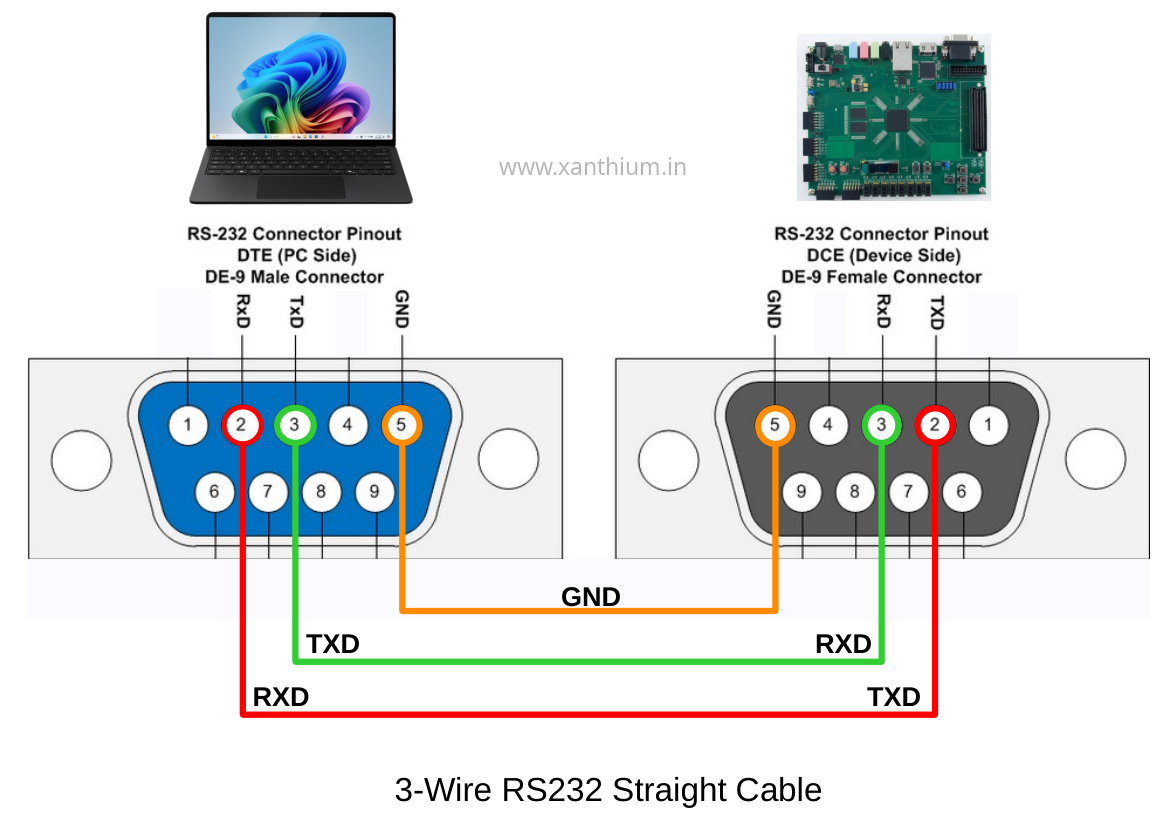
So when you connect the two ,Computer and the device with a straight RS232 cable ,
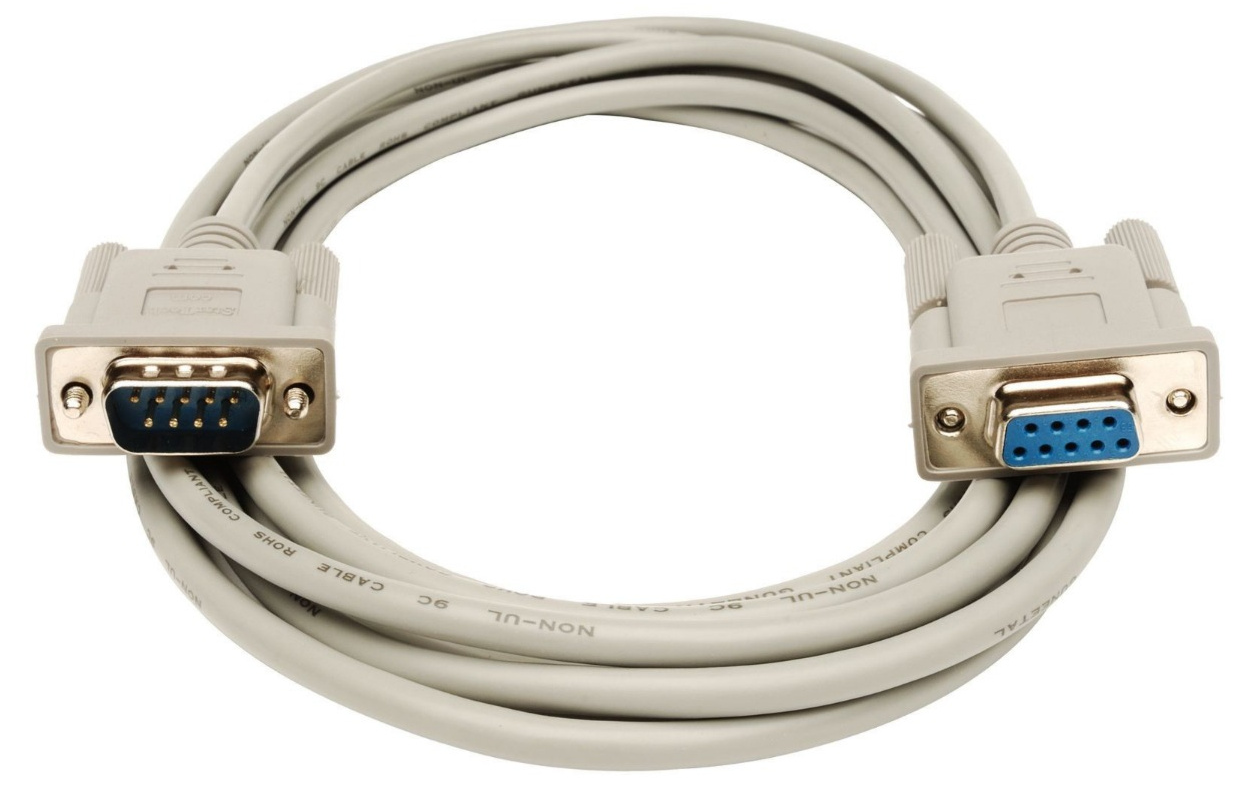
The data transmitted by the PC's TXD pin will go to the RXD pin of the device, As shown below.
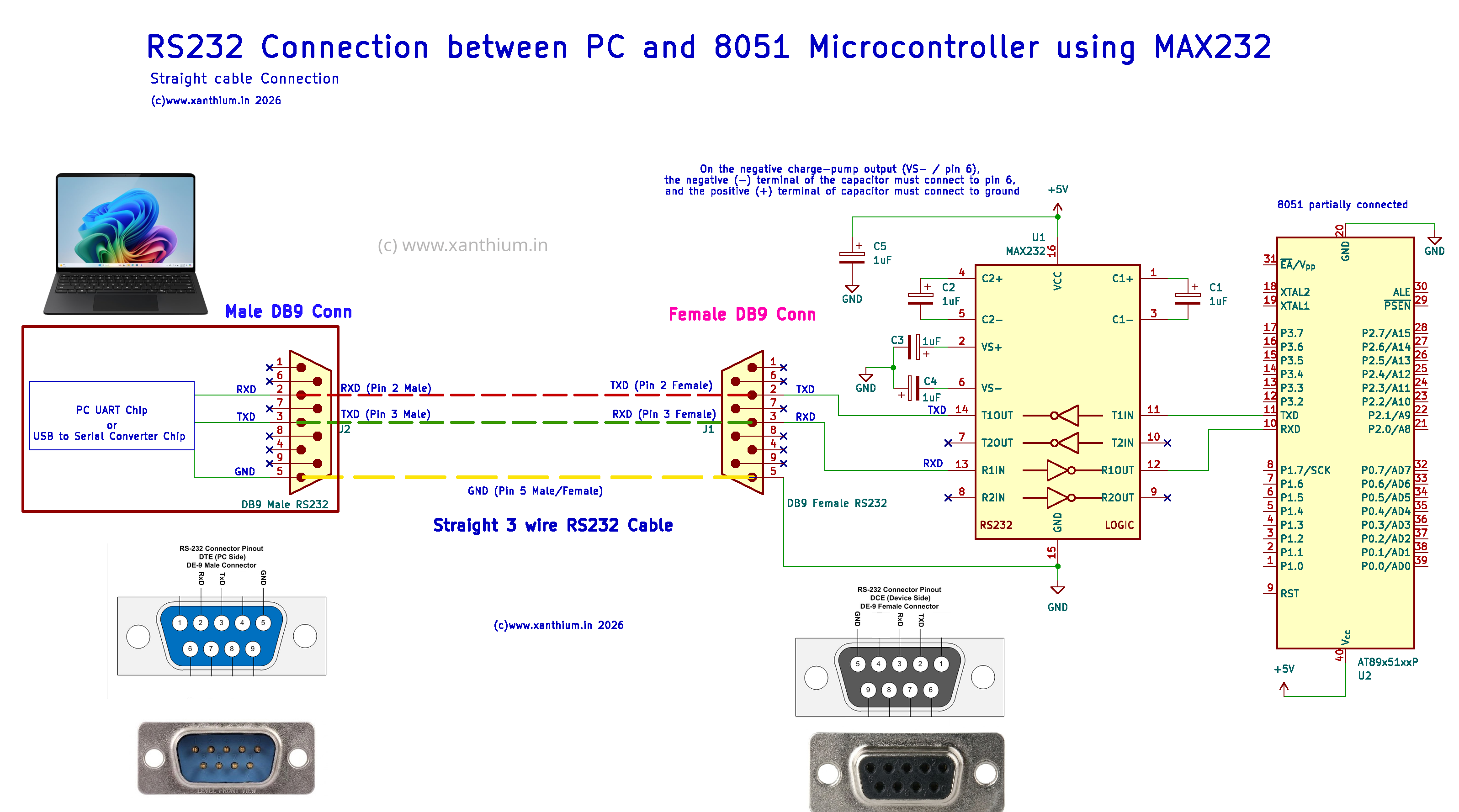
You can also find the pdf document of the above circuit diagram from here
You can also connect two 8051 using RS232 Protocol as shown below.

- Log in to post comments